

ResChanger 2005 is a small utility that allows users to quickly switch display settings from the system tray. It provides a context menu with a variety of options for horizontal resolution, vertical resolution, color depth, and refresh rate.
ResChanger is a small utility that enables you to switch display settings (the combination of horizontal resolution, vertical resolution, color depth and refresh rate) dynamically from the system tray. The system tray is the neat, small window within the taskbar of the shell of Windows 95 or Windows NT 4.0 that contains such useful things as a clock or an icon for the sound adapter card if there is one installed.
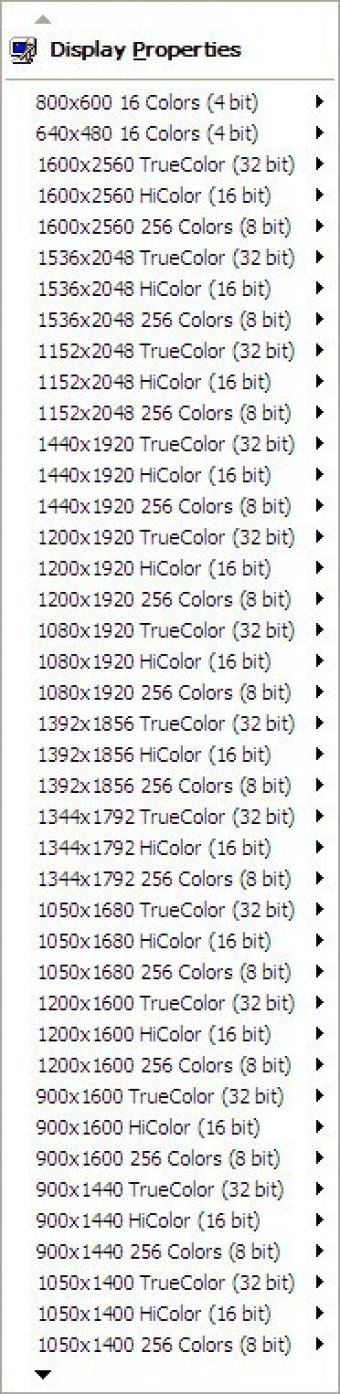
A right click on ResChanger's icon will invoke a context menu with all display settings your graphics adapter card is capable of. By selecting a menu item, the screen resolution and color depth are switched, either temporarily or on a permanent basis. The temporary switch is very useful if you want to play a game at a certain resolution and afterwards you want to switch back to your normal screen resolution. Another example of use for developers like me could be testing the behaviour of applications or the look of web sites at different screen resolutions.
Features:
-Automatic install and uninstall feature.
-Runs on both Windows 9x and Windows NT4/Windows 2000.
-German or English user interface which can be changed at runtime on the fly. Comprehensive help file support in both German and English.
-Test mode with configurable test duration.
-Switching to new display settings can be either temporarily or permanent.
-On Windows NT/Windows 2000 a subset of all available settings can be defined by an administrator so only safe settings can be choosen by the user. ResChanger detects if it is running in a Terminal Services Environment in a non-console session and then silently quits.



Comments